The remote that tunes your speakers.
Your Mac’s speakers, controlled from your iPhone.
Free, included with Audiout for Mac. You allow it on your Mac once. Needs an iPhone on iOS 18 or later.
Check your inbox, and click the link there to confirm.
How it will connect.
No account and no sign-in.
- 1
On your Mac.
Audiout is already in your Mac’s menu bar. Nothing to open.
- 2
On your phone.
Open Audiout Remote on the same Wi-Fi network. It finds your Mac.
- 3
Allow once.
Your Mac asks whether to allow this iPhone. Click Allow.
What it will do.
Coming very soon. Most of it mirrors Audiout on your Mac, and changes sync both ways.
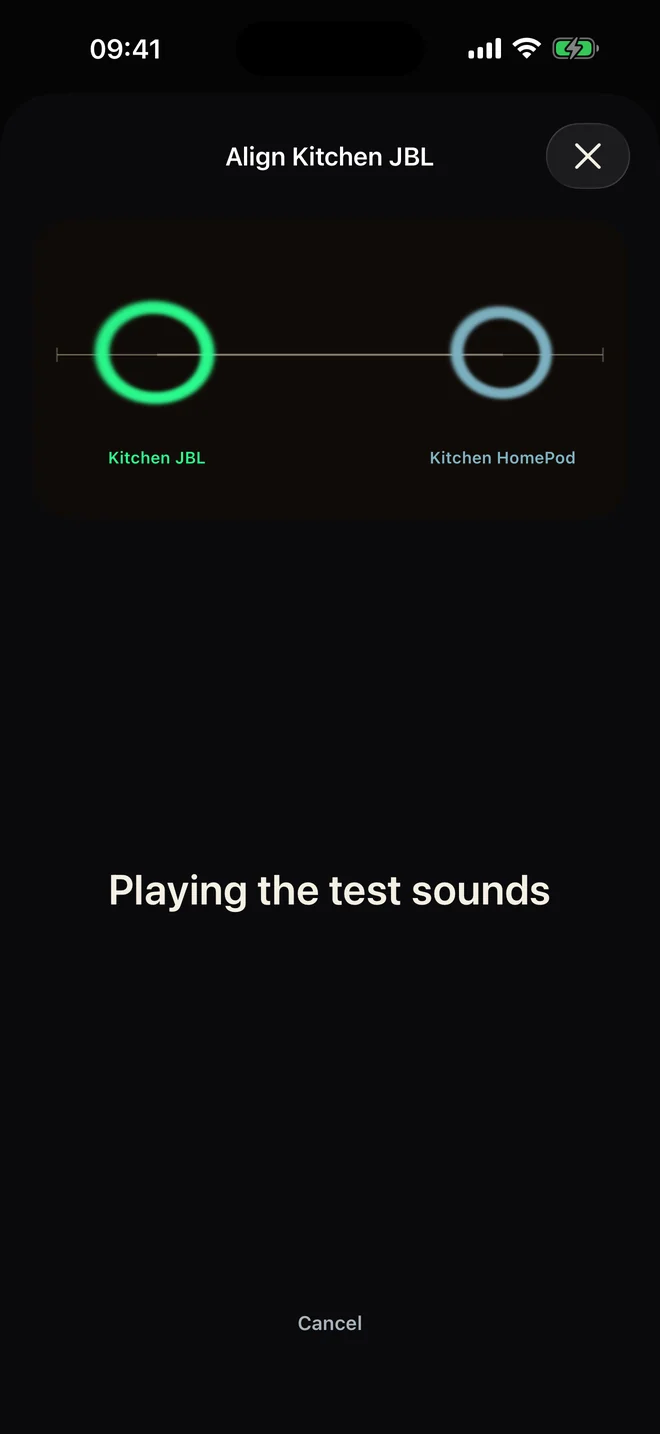
Measure a Bluetooth speaker that plays behind.
Your Bluetooth speaker and a speaker already in sync play a test sound at once. Your iPhone's microphone measures the gap, and your Mac corrects it.
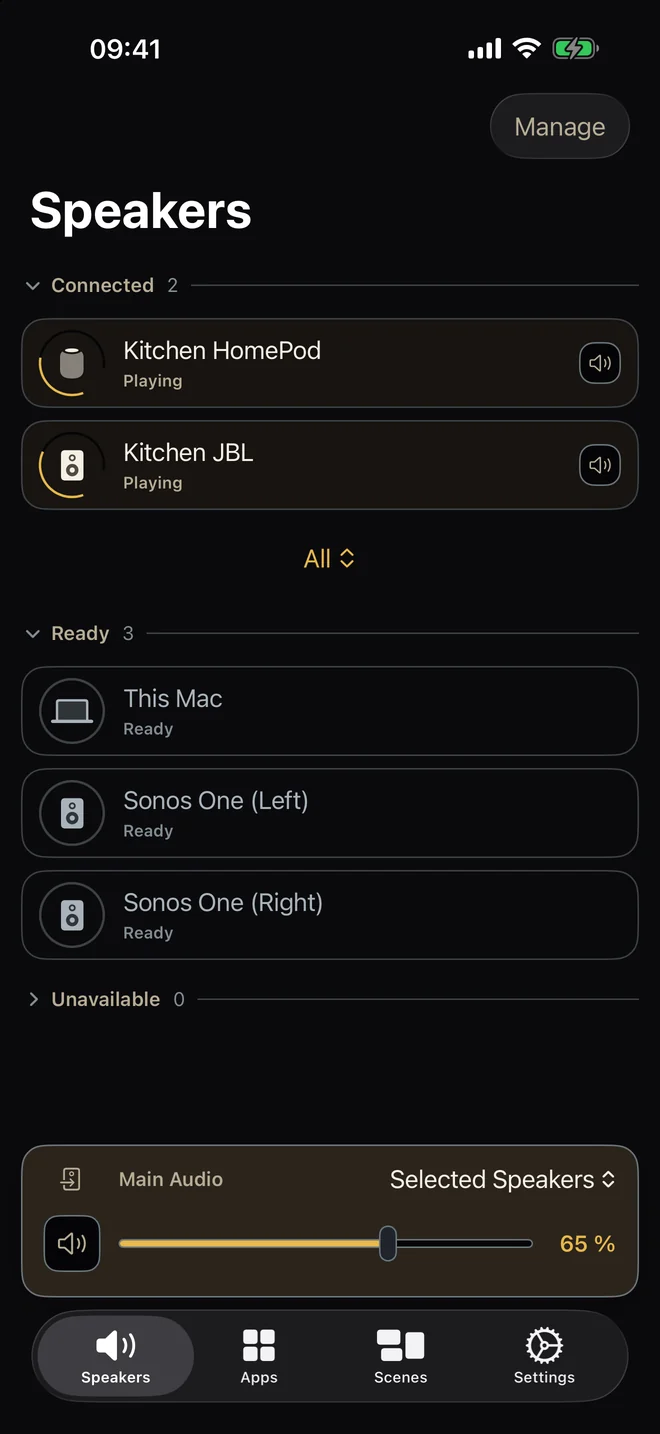
Your Mac’s mixer, row for row.
Drag a row and your Mac’s fader moves with it. Main Audio keeps its own fader and mute.
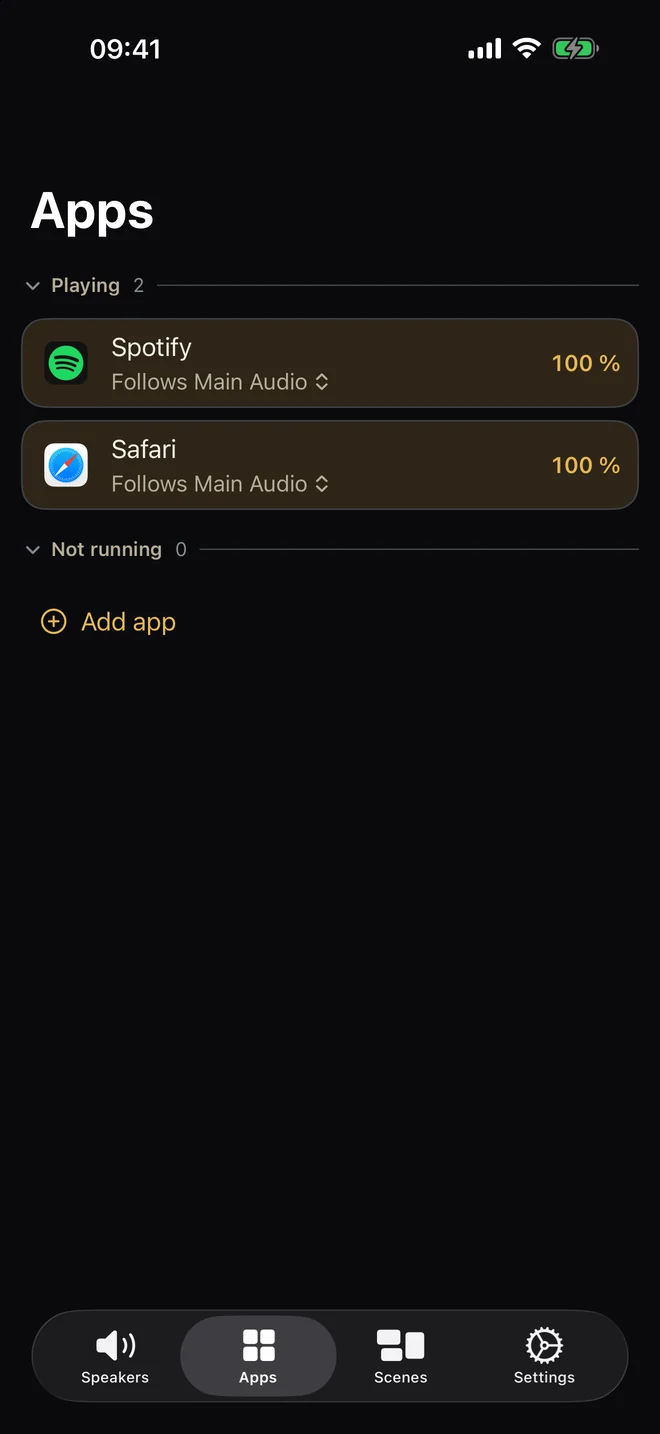
Apps get a tab of their own.
See where each app plays and route it elsewhere. Route Spotify to the patio from the phone, and the Mac follows.
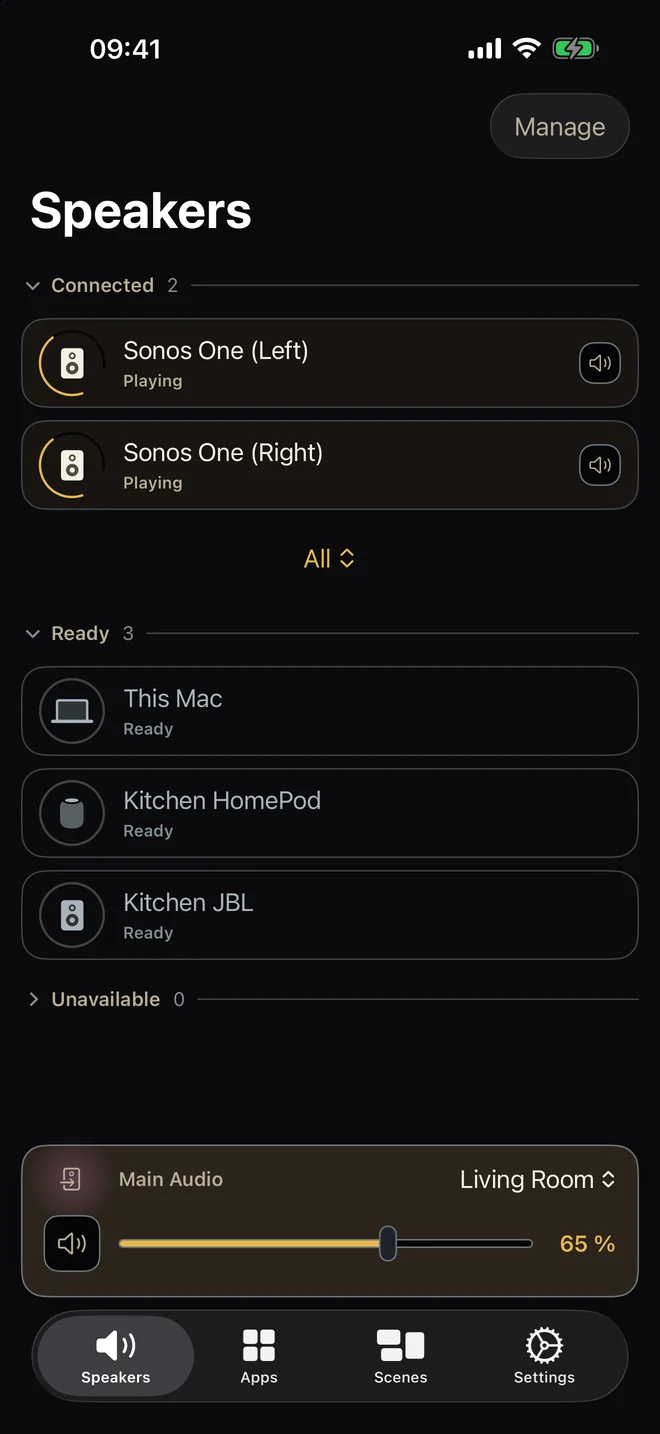
Switch scenes from your phone.
A scene is a saved set of speakers. Main Audio’s bar turns magenta while one runs, so you can tell at a glance.
What else it will do.
- Your most-used speakers go in Favourites
Long-press a speaker to add it to Favourites. They stay on that phone, not shared.
- It asks for two things, and says why
Local Network, so it can find your Mac. The microphone, only the first time you measure a speaker. That recording is read on your iPhone and thrown away.
- Mute waits for your Mac
It changes only after your Mac confirms. It never shows silent while a room still plays.
- A dropped speaker says why
Its row becomes a card with the reason, a Diagnose link and a Try again button.
- A demo Mac is built in
If no Mac turns up, the app offers a Try the demo button, a demo Mac with a few speakers. Look around before buying Audiout for Mac.
- The faders click under your thumb
A soft click every five steps. A firmer one at 0 or 100.
- Works with VoiceOver
Every control is labelled for VoiceOver. Reduce Motion is honored throughout.
- Follows your text size
Text scales with Dynamic Type, right up to the accessibility sizes.
- A measurement that fails says so
If the phone can't hear both test sounds, try again or align by ear. It never guesses a number.
- Nudge it by ear
A tick plays from both speakers as you nudge them together. Without an iPhone, use Align by ear on the Mac instead.
Five phones, one system.
Anyone in the house will be able to control it. Your Mac allows each phone once. No limit on phones, no account. Audiout Remote is coming very soon, free, included with Audiout for Mac.
Questions.
When will Audiout Remote be out?
Very soon. Leave your email on this page and you’ll get one message the day it is on the App Store. Audiout for Mac does not wait for it: the Mac app works on its own, and the remote will be included when it ships.
Do I need the Mac app to use Audiout Remote?
Yes. Audiout Remote is the remote for Audiout for Mac, and it works while that Mac is running Audiout on the same Wi-Fi. The remote is included with the Mac app.
Do I need an account or sign-in to use Audiout Remote?
No. There is no account and no password. Your phone finds your Mac on the local network, and your Mac asks you once whether to allow that phone.
How many iPhones can control Audiout?
As many as your household needs. Each phone is allowed once on your Mac. There is no limit on phones and no account to share.
Does Audiout Remote work away from home, over the internet?
No, by design. Audiout Remote talks to your Mac over your local network, so it works while your phone is on the same Wi-Fi.
Is Audiout Remote really free?
Yes. The app is free, with nothing to buy inside it. It comes with Audiout for Mac, a one-time €24.99 purchase, and it will never be sold separately.
What do I need to run Audiout Remote?
An iPhone running iOS 18 or later, and a Mac on the same Wi-Fi running Audiout.
Until it ships.
Leave your email, or get Audiout for Mac.
Get one email when it’s out.
Check your inbox, and click the link there to confirm.
Don’t have Audiout yet?
Audiout Remote will be included with Audiout for Mac, your multi-room mixer. One purchase covers both.
One-time purchase. Requires Apple Silicon and macOS 14.4 or later. Audiout Remote needs an iPhone running iOS 18 or later.